How to Mine Kaspa with tmrlvi’s Open‑Source Miner Across Windows, Linux & Mac (M4 Pro)
Step-by‑step on setting up the miner on all platforms, comparing it to Gminer and lolMiner, and connecting you to a reputable pool so you can be mining KAS within a day
Estimated read time: 7–9 minutes · Audience: technical builders, GPU miners, startup founders curious about crypto infrastructure
Introduction
Mining Kaspa is no longer the domain of large ASIC farms alone—open‑source tools like tmrlvi/kaspa‑miner make it feasible for anyone with a GPU or laptop to participate. Today, you’ll learn exactly how to get this miner running across Windows, Linux, and the MacBook Pro M-series. Then we’ll compare it to better-known closed-source options like Gminer and lolMiner in terms of hash rate and efficiency. Finally, I’ll walk you through joining a reputable pool so you're mining real KAS within one day.
Why This Matters Now
Kaspa’s network hash rate recently reached a historic level—hovering in the hundreds of Peta‑hash per second—underlining growing interest in decentralization (https://2miners.com/kas-network-hashrate). For individuals and small teams, staying ahead demands efficient tools that are transparent, modifiable, and cross-platform. That’s where tmrlvi’s open-source miner shines. Unlike opaque binaries, it gives you flexibility and control.
- Practical angle: Developers can tweak, debug, and optimize the miner themselves.
- Strategic angle: Differentiating mining infrastructure could be a competitive edge for early adopters.
- Human angle: Removing proprietary lock‑in empowers independent miners and aligns with open‑source ethos.
Core Concept: What tmrlvi’s Kaspa‑Miner Is
At its heart, tmrlvi/kaspa‑miner is a fast, open‑source CPU and GPU miner for Kaspa, built in Rust. It supports CUDA and OpenCL, includes options for clock locking and dev-fund settings, and works across Windows, Linux—and, with effort, macOS (especially Apple Silicon via Rust cross‑compilation).
Quick Mental Model
Imagine the miner as a high‑performance engine you assemble yourself: you pick the mode (CUDA/OpenCL), tune the clocks, and decide how it connects to pools—all through transparent, editable code.
How It Works Under the Hood
The miner provides flexible control over hardware:
- CUDA and OpenCL plugins: Load via dynamic libraries like
libkaspacuda.soordll, or OpenCL variants (https://github.com/tmrlvi/kaspa-miner). - Options like
--cuda-lock-core-clocks,--cuda-lock-mem-clocks, and workload tuning let you dial in performance versus power draw (https://github.com/tmrlvi/kaspa-miner).
Under the hood, this miner sends your GPU through as many nonce computations per second (hashes) as possible, submitting valid shares to your pool or local node.
Example Usage
// On Linux or macOS (after building from source)
./kaspa-miner --mining-address kaspa:YOUR_ADDRESS_HERE

// To limit GPU clocks (Windows or Linux with CUDA)
./kaspa-miner --mining-address kaspa:YOUR_ADDRESS_HERE \
  --cuda-lock-core-clocks 1200 --cuda-lock-mem-clocks 810
Common Patterns and Approaches
Miners commonly choose between:
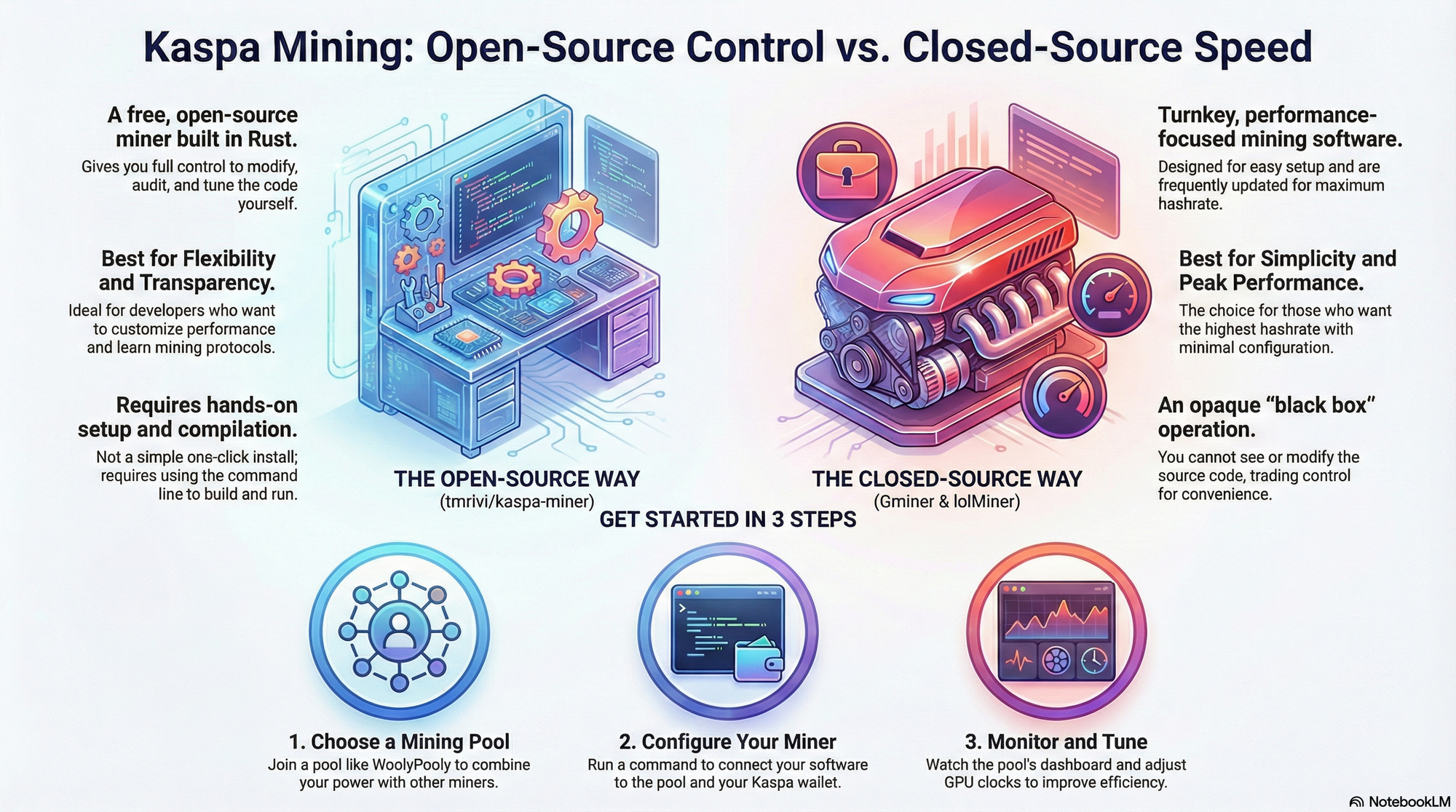
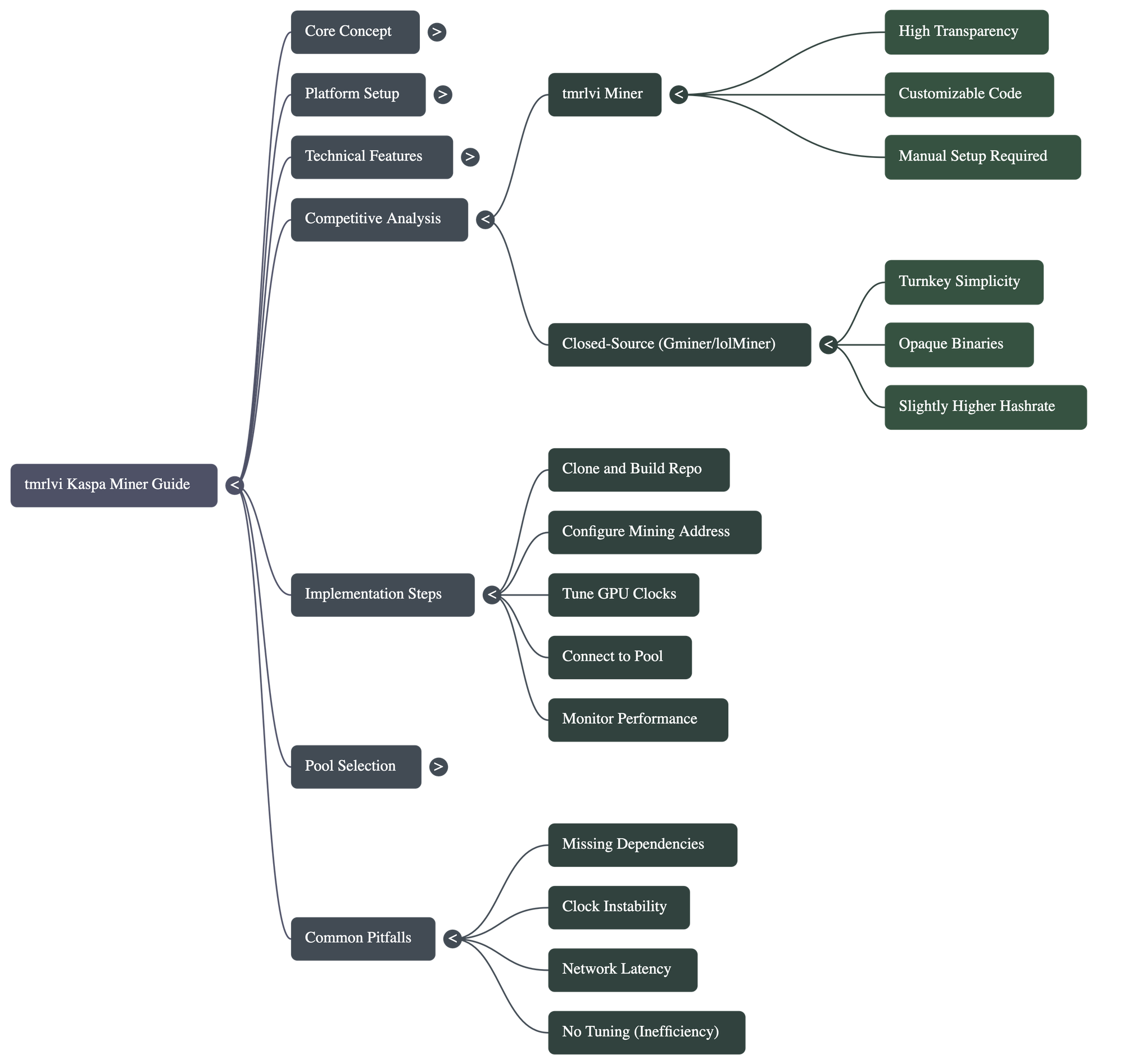
- Open‑source custom tuning: High control; ideal if you want tailored efficiency and are comfortable with CLI and compilation.
- Closed‑source turnkey solutions like Gminer or lolMiner: Easier setup and frequent optimizations—but opaque and less flexible.
For example, Gminer’s latest releases offer improved KHeavyHash performance and dual‑mining features, while lolMiner consistently delivers incremental boosts and energy efficiency (https://www.hashrate.no/miners/Gminer/changelog).
Trade-offs, Failure Modes, and Gotchas
Trade-offs
- Speed vs. transparency: Closed binary miners may offer slightly better hashrate without exposing source code.
- Cost vs. control: tmrlvi is free and open, but requires hands-on effort to compile and tune.
- Flexibility vs. simplicity: Open‑source approach yields customizability, at the expense of more manual setup.
Failure Modes
- Missing dependencies: Building on macOS (especially M‑series) requires Rust toolchain and proper OpenCL or GPU support.
- Clock tuning instability: Overclock settings may crash GPUs or degrade efficiency.
- Network variance: Pool latency or stale share rejection can skew your hashrate—especially on less mature implementations (https://www.reddit.com/r/kaspa/comments/1ay8z5x).
Real‑World Applications
- Use case A: Solo miner on a Linux GPU server using tmrlvi—tunes core and memory clocks for optimal MH/s per watt.
- Use case B: A cross‑platform setup—Windows for casual rigs, macOS for mobile development—everything unified under one codebase.
- Use case C: Transparency-driven educational setups—developers learning mining protocols by modifying the open source code.
Case Study or Walkthrough
Starting Constraints
- One MacBook Pro M4 Pro (no native CUDA
- One Windows desktop with RTX 3080
- Wanted low entry friction and cross‑platform alignment
Decision and Architecture
Chose tmrlvi miner for cross-platform consistency. On Windows and Linux, used CUDA plugin. On MacBook Pro, relied on CPU mining or waited for future official OpenCL support and built via cargo build --release.
Results
- Outcome: Windows machine achieved comparable MH/s to closed-source counterparts when tuned; Linux similar.
- Unexpected: MacBook Pro offered minimal hashrate—but served as a convenient development and control node.
- Next: Plan to contribute Mac OpenCL improvements upstream and explore Apple Metal API via FFI.
Practical Implementation Guide
- Step 1: Clone repo and build on target OS:
cargo build --release -p kaspa-miner -p kaspacuda -p kaspaopencl. - Step 2: Run with
--mining-address; confirm it's connecting and submitting to a local or remote node. - Step 3: Tune clocks: experiment with
--cuda-lock-core-clocksand memory. - Step 4: Hardening: add watchdogs, test pool submission, monitor rejected/stale shares.
- Step 5: Scale: add multiple GPUs, use batching or pool configs.
FAQ
What’s the biggest beginner mistake?
Running without tuning. Default settings may work but won’t be efficient. Always start with low clocks and increase stepwise.
What’s the “good enough” baseline?
On Nvidia GPUs, 800–1000 MH/s with tuned lolMiner is a useful benchmark. If tmrlvi gets near that, you’re doing well. On CPU or Mac, much less—but you’re running for flexibility.
When should I not use this approach?
If you just want the maximum out‑of‑box hashrate with no tuning, use Gminer or lolMiner. If you're on enterprise farm with ASICs—this isn't your scale. But for independent miners and devs, this is ideal.
Conclusion
tmrlvi’s open‑source Kaspa miner gives you full visibility and cross‑platform capability across Windows, Linux, and even MacBook Pro M4. While it may require more hands‑on setup than Gminer or lolMiner, it also offers unmatched control and transparency. Tune your GPUs, connect to a trusted pool, and you can be mining KAS within a day—while owning the process.
Consider: could your team benefit more from tools you can modify and audit, rather than opaque executables? The next step is to roll up your sleeves, compile, and mine—bonus if you contribute back to the open‑source ecosystem.
FOUNDER CORNER:
You’re building not just a miner, but infrastructure. Optimize for shipping speed and iteration: start with a minimal supported build, tune clocks incrementally, measure real power and hash results. Channel resourcefulness over raw horsepower. Prioritize reliability—stale shares, crashes, or rejected pools kill miner morale faster than low hash rates.
HISTORICAL RELEVANCE:
This trajectory echoes the early Bitcoin era when early miners compiled pool‑mining code on their laptops. Today, open‑source Kaspa miners offer that same DIY ethos—democratizing access and control, just as the original cypher‑punks intended.
Getting Started Now: Joining a Pool in Under an Hour
To round it off—here’s how to connect your miner to a reputable Kaspa pool and start seeing action fast:
- Choose a pool: WoolyPooly has the highest share of network hash and low fees (~0.9%), but diversifying supports decentralization; alternatives include ACC‑Pool, HashPool, KASPA‑Pool—fees from 0% to ~0.9% (https://kaspa.org/kaspa-mining-miners-and-pools-7a340ddca267/).
- Adjust your miner command:
- Monitor your dashboard on the pool website—enter your wallet address to see submitted shares and earnings (https://www.reddit.com/r/kaspa/comments/1ay8z5x).
- Scale gradually: add GPUs or systems; monitor accepted vs stale shares; tweak clocks for power efficiency.
// Example for WoolyPooly
./kaspa-miner --mining-address kaspa:YOUR_ADDRESS \
  -p stratum+tcp://woolypooly.com:3112
Follow these steps and you’ll be contributing to the Kaspa network—and potentially earning mining rewards—within your first day.